Preparing the page…
Live Cyber Attack Map
Padvish Products
Cloud Guard
Enterprise
For Home
Support
Resources
Partners
About Amnpardaz
Loading…
Guide to Manual Offline Activation of Padvish AntiCrypto
1
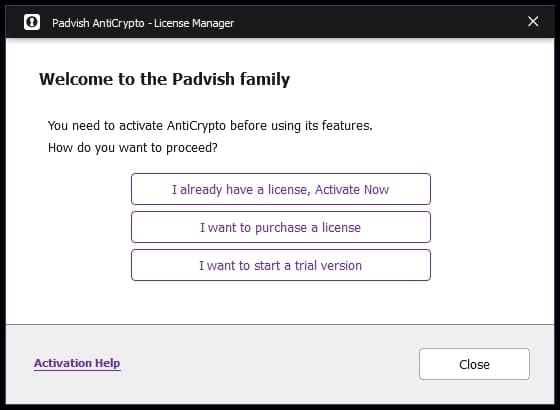
Selecting “I already have a license, Activate Now”
Select this option to begin the activation process.
2
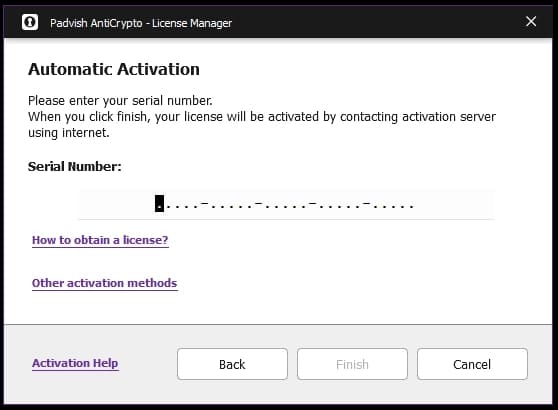
Selecting “Other activation methods”
If you do not have Internet access, select “Other activation methods” and continue with the following steps.
3
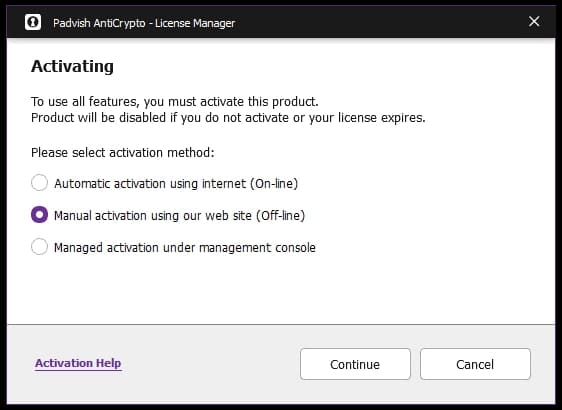
Selecting Manual Offline Activation
Select “Manual activation using our web site (Off-line)” and click Continue.
4
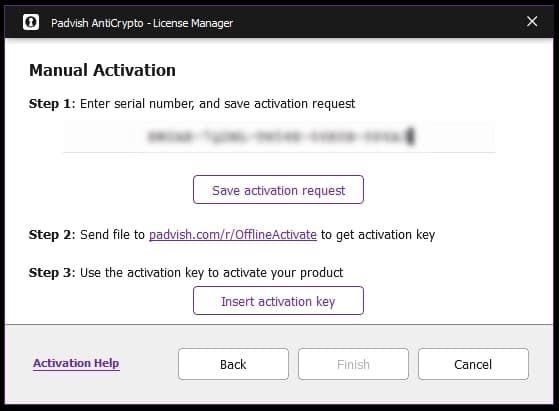
Entering the Serial Number
Enter your serial number in the corresponding field.
5
Saving the Activation Request
Click “Save activation request” and save the activation request file in your desired location.
6
Sending the File to the Company
Send the saved file to
padvish.com/r/OfflineActivate
to receive the activation key.
7
Inserting the Activation Key
In the same window, click “Insert activation key” and select the activation key file you received.
8
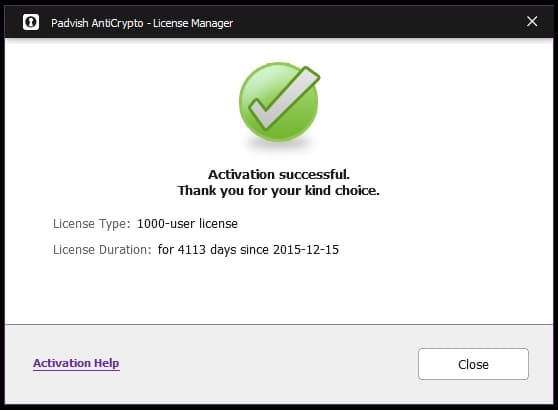
Completing the Offline Activation Process
After completing these steps, click “Finish.” After a few moments, the product will be activated successfully.