Guide to Updating Padvish Antivirus Offline Using a File
1
Opening the Settings
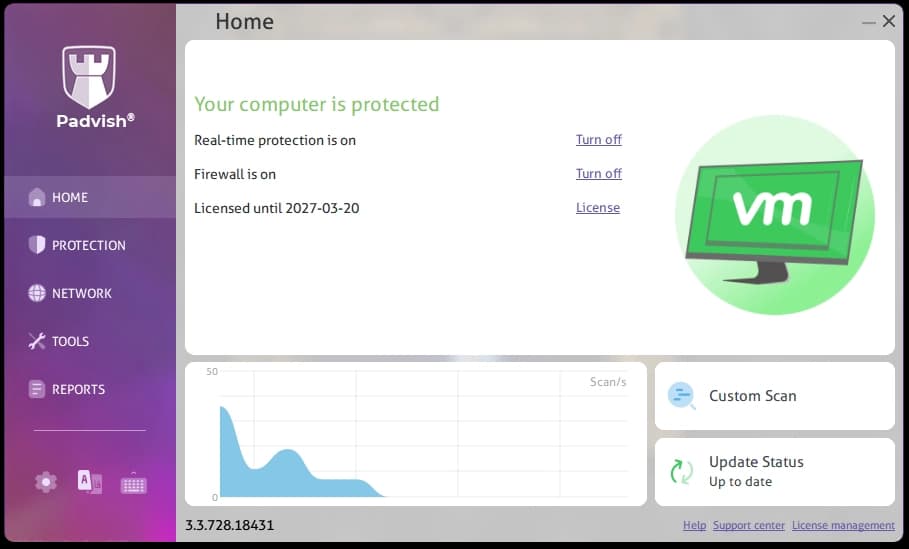
Open Padvish Antivirus and go to the software settings.
2
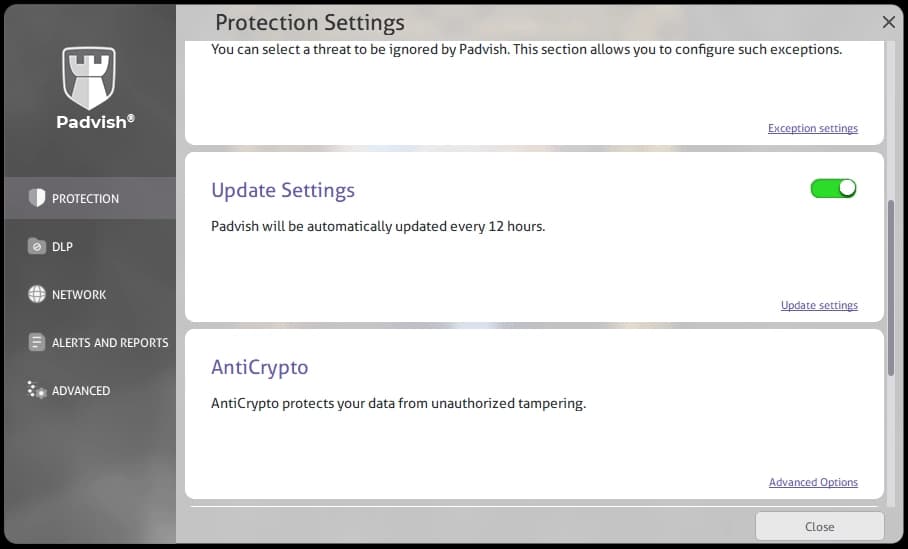
Selecting Update Settings
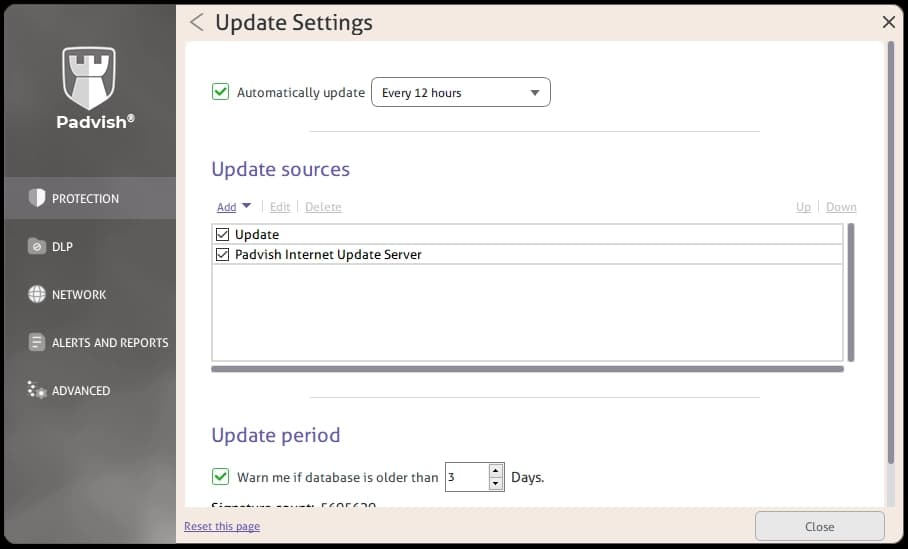
In the Protection section, select Update settings.
3
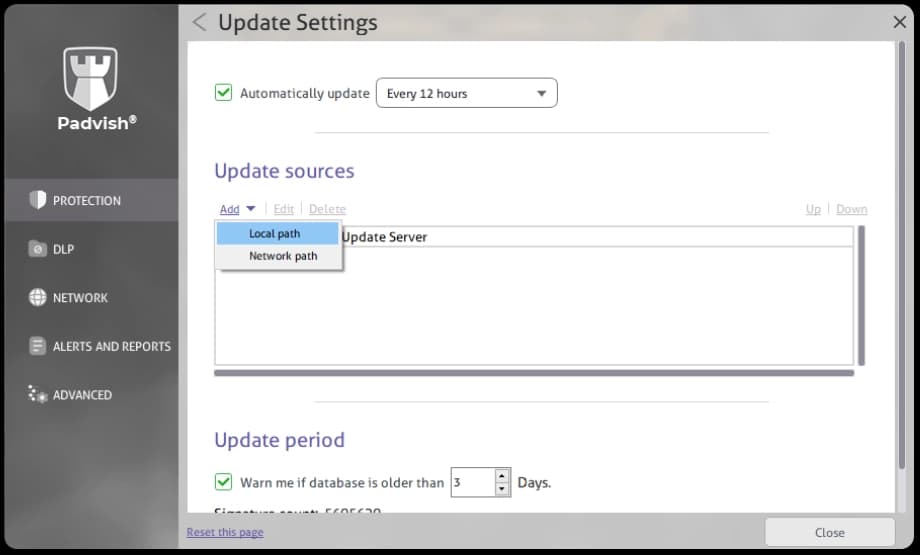
Adding the Update File Folder
In the Update sources section, click Add and select Local path to add the folder containing the update file.
To obtain the signature database update file, follow the steps below:
4
Downloading the Signature Database Update File
Download the signature database update file from the Support section of the Padvish website (Offline Update for Padvish Antivirus).
5
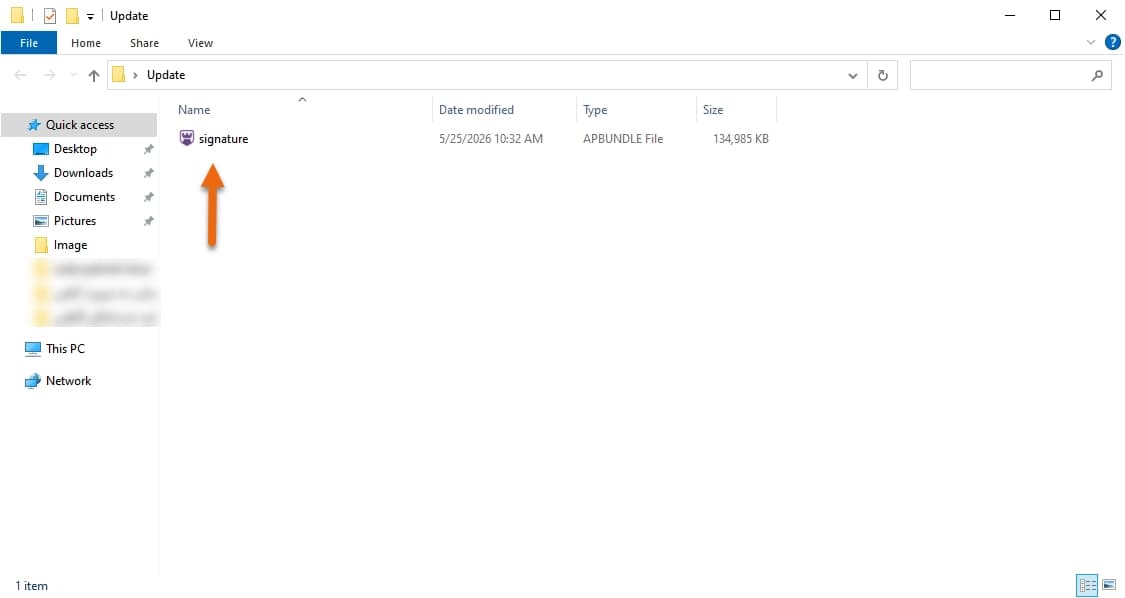
Placing the Update File in a Folder
Place the downloaded signature.apbundle file inside a folder.
6
Entering a Name and Path for the Update File Folder
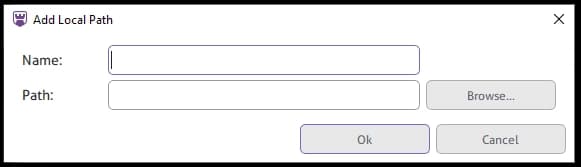
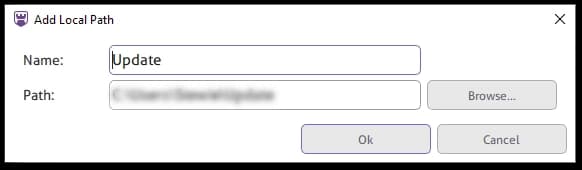
In the Local path window, enter a name for the update source and click Browse... to select the folder that contains the update file.
Important:Make sure to select the folder containing the update file, not the file itself.
7
Saving the Signature Database File Path
After selecting the path, click OK. The signature database update file can then be loaded from the selected location.
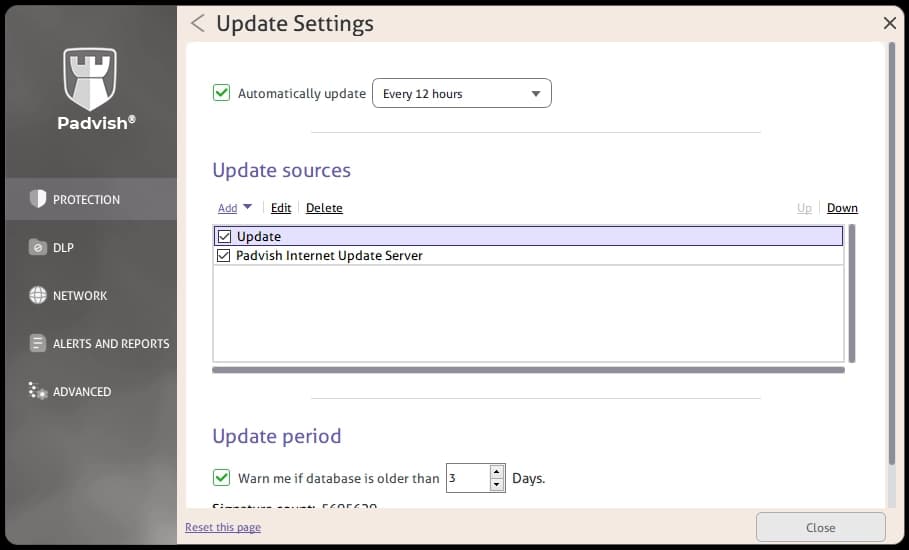
The added folder is displayed in the Update sources list. Updates are processed according to the order of the enabled sources, starting with the first checked source.
From now on, when an update is started from the main page, the selected folder is checked first because file-based updating has a higher priority, and the signature database is updated from the file inside that folder.
8
Prioritizing Update Sources
Use the Up and Down options to change the order and priority of update sources. You can also edit or delete update sources from this section.
Advanced Settings
Adding a Network Path for File-Based Updates
File-based updates can also be performed through a network path. Open Update Settings, click Add, select Network path, and enter the required information.
Automatic Update
Padvish can automatically apply updates. In Update Settings, enable Automatically update and select the desired update interval: every hour, every 12 hours, or every day.
Update Period
Padvish can warn you when the signature database is older than a specified number of days. In the Update period section, set the number of days after which you want to receive an outdated-database warning.

![[object Object] - 1](/_next/image?url=%2Fassets%2Fimg%2Fguide%2Foffline-update%2Fen%2Fadvanced-settings.webp&w=1920&q=75)
![[object Object] - 1](/_next/image?url=%2Fassets%2Fimg%2Fguide%2Foffline-update%2Fen%2Fauto-update.webp&w=1920&q=75)
![[object Object] - 1](/_next/image?url=%2Fassets%2Fimg%2Fguide%2Foffline-update%2Fen%2Fupdate-interval-1.webp&w=1920&q=75)